
Support
Need help with Inclr?
For support, questions or feature requests, contact ken@inclr.com.
Ask the community
Share questions and ideas with the Inclr community on Spatial Thinking.
Join the communityWhat is Inclr?
Inclr is a spatial workspace for organising information, ideas, projects and context. Instead of forcing everything into a single list or hierarchy, Inclr lets you build visual clusters of related information called inclrs.
Inclrs contain layers, nodes and entries that can connect with one another, giving you a deeper way to organise and explore information.
Quick Guide

Creating an inclr
Start with an inclr as a workspace for a topic, project, question or collection of ideas.
Nodes
Use nodes to organise the major parts of an inclr. Nodes can contain their own entries and connections.
Entries
Add the information that belongs inside a node. Entries can hold different kinds of content depending on what you are organising.
Structure of an inclr
An inclr is a place for information, ideas, projects and context. It can grow as your understanding grows.
Nodes organise the main parts of an inclr. Each node can contain entries and connect to other parts of the workspace.
Entries are the individual pieces of information inside a node: notes, links, images, lists and other supported content.
The basic structure is inclr → node → entry, with relationships, colours and context helping you see how everything fits together.
The same underlying information can be explored through different views without losing its structure.


Navigating Inclr
Inclr is designed for visual navigation. Select, scroll, drag and zoom to move through your information, then follow connected items to keep relationships and spatial context in view.
Select
Select an inclr, node or entry to bring its information and available actions into focus.
Scroll and drag
Move through the visual workspace by scrolling or dragging. The exact interaction can vary by device and platform.
Zoom
Zoom in to work with detail and zoom out to understand the wider structure.
Follow connections
Select connected items to move through related information and keep the surrounding context visible.
Controls and gestures can differ between Apple devices, Mac and other supported platforms.


Editing Inclrs
Editing is contextual: select an item to see the controls available for that inclr, node or entry. The available actions can change as the interface evolves.
Adding and Editing Entries
Entries are the flexible building blocks inside nodes. Add the kind of information you need, then select an entry to edit, reorder or move it when those controls are available.

Add an entry to a node, then choose the type of content that best fits the information you want to keep.

Entries can hold different kinds of content, so a node can combine notes, links, images, lists and more.

Select an entry to edit it, reorder it or move it when those actions are available on your device and in the current view.
View Modes
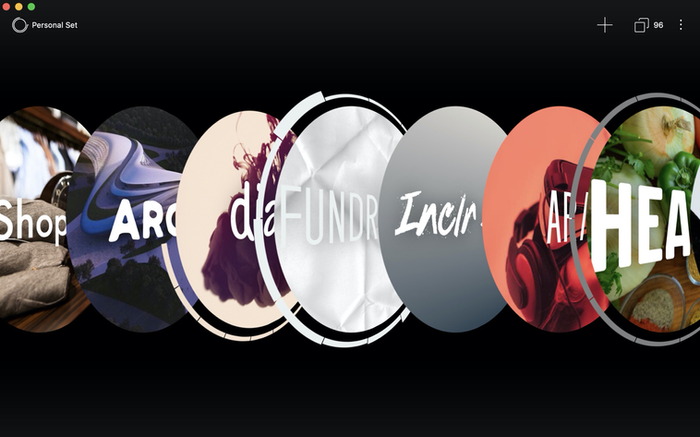
View modes change how you see the same underlying information. Use the view that best fits the task, then switch when you want a different perspective.


Search and Navigation
Search helps you find inclrs, nodes and content. Once you have found something, use the surrounding relationships and spatial context to continue exploring rather than treating the result as an isolated item.
Search and visual navigation work together: find a piece of information, then understand where it sits in the wider structure.
Sync and Data
Inclr is designed to work across Apple devices, with Apple and iCloud behaviour depending on the version, platform and feature being used.
We do not sell personal information as advertising data. For important information, keep backups and check the storage and sync behaviour available in your current version.
FAQ
Is Inclr a mindmapping app?
Inclr includes mind mapping, but it is broader than a traditional mindmapping app. It is a spatial information system for organising ideas, projects and context. Mind Map is one of its available views.
What is an inclr?
An inclr is a visual workspace for organising information. It can contain nodes, entries, connections and context that you can explore through different views.
What is the difference between a node and an entry?
A node is a larger organising area inside an inclr. Entries are the individual pieces of information held within a node.
Is Inclr a second-brain tool?
It can be used that way, but it is not limited to personal notes. Inclr can organise information, ideas, projects and relationships in a way that keeps the wider context visible.
Can I create normal mind maps?
Yes. Mind Map is one of eight current view modes: List, Mind Map, Concept Map, World, 3D, Augmented Reality, Kanban and Grid.
Is Inclr actively being developed?
Inclr is an evolving project. The interface and available features may change as the product develops, so some details can vary by version and platform.
How private is Inclr?
Inclr is designed around personal information. We do not sell personal information as advertising data. Storage, backups and iCloud behaviour depend on the version, platform and feature being used; keep your own backups for important information.